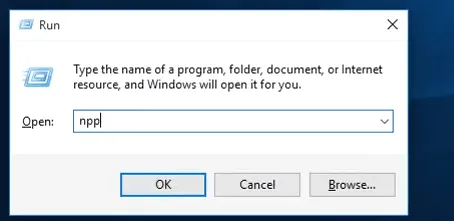

Everytime while accessing an application installed in pc mostly windows we use start menu or desktop icons to access them.And another thing called run commands were also used to access predefined or pre-installed system applications.
In this article we are going to provide steps to create custom run command.
if you were interested in watching video play the following video or else scroll with the text steps.
win+r key combination is used to open run command.
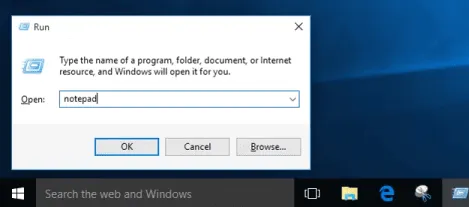
step 1: create a shortcut for the application or software you were going to create custom run command. or if you are going to create for existing shortcut jump here.
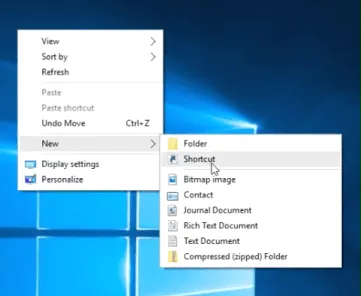
create shortcut: Right click => New => shortcut.
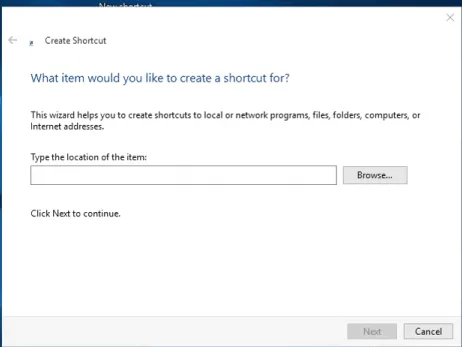
step 2: while creating shortcut you have to specify the location where the executable file is present.(probably in “program files” or “program files x86” folder).
step 3: Then specify the name or use the given name.
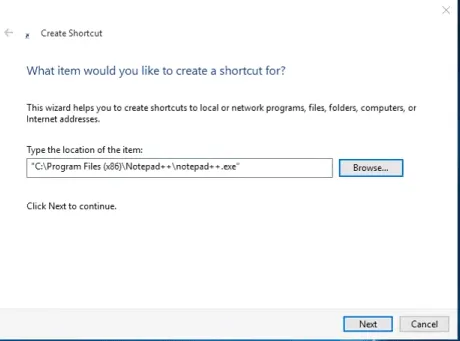 note: specified name is the one which is used to access the software simply,user-defined run command.
 step 4: after creating the shortcut for an application,copy the shortcut to “windows” folder.Which is located in local disk C:/
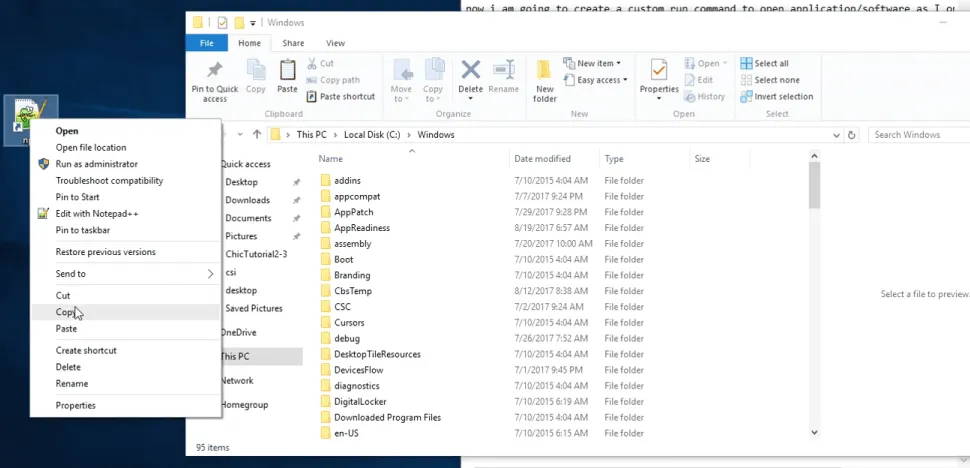
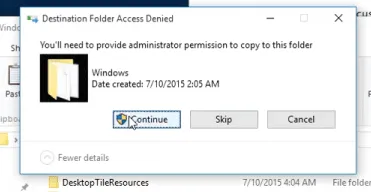
step 5: While pasting,the system may opt for administrator access click allow to continue.
step 6: Now open the Run command and use the specified name to access your application. That’s it.